Enterprise Storage Procurement Guide

How to Read Seagate Enterprise HDD Model Numbers for RFQs

A Seagate family name and capacity do not replace the full model number and suffix. Copy every readable character from the label and use the exact product manual to confirm interface and format requirements.

Authorship

Prepared and reviewed by Beihang Technology Co., Ltd.

Published | Last material update

Evidence scope

Selected first-party images document representative product labels and hardware forms. Final model, part number, availability, condition, health evidence, firmware, compatibility, packing and quotation remain order-specific.

01

Decision summary

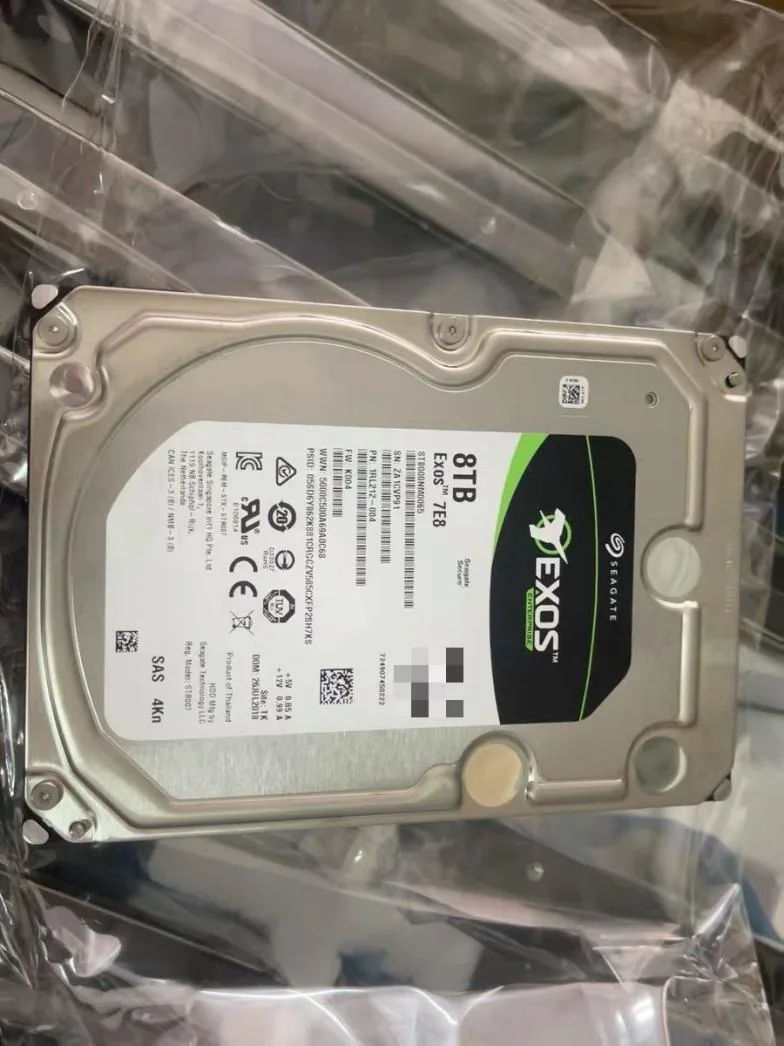
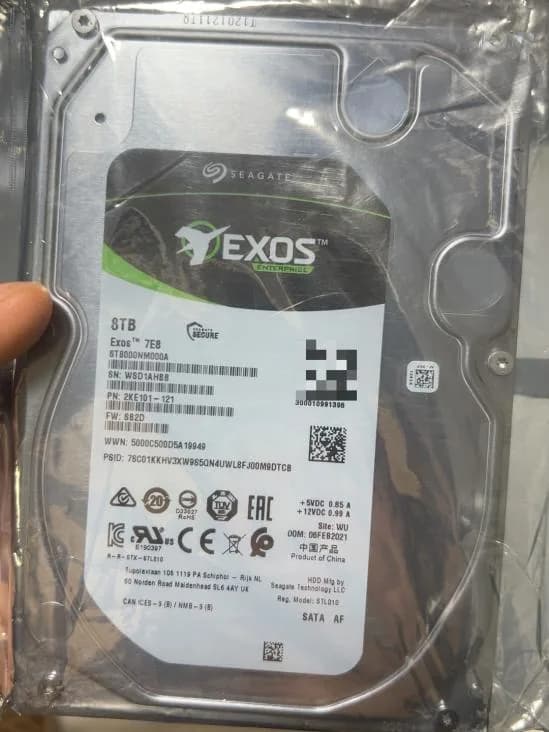
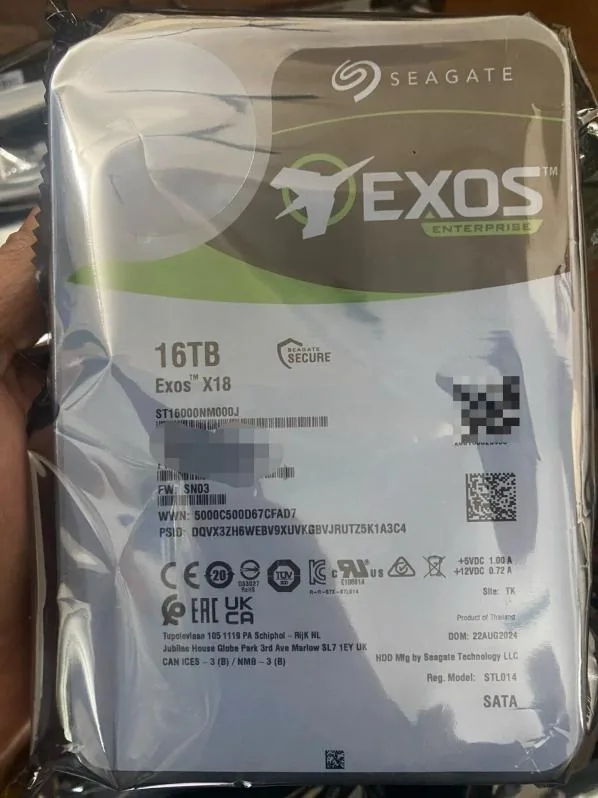
Keep the family name, capacity and complete model number as separate fields. ST8000NM0065, ST8000NM000A and ST16000NM000J are exact photographed examples; a similar prefix does not establish the same interface, format or platform requirement.

  • Family name
  • Complete model number
  • Full suffix
  • Exact label photo

02

Read every label field

Photograph the full label in focus and copy the manufacturer, family, complete model, capacity and any readable firmware or OEM reference. Mark an obscured field for confirmation instead of rebuilding missing characters.

  • Manufacturer and family
  • Complete model
  • Printed capacity
  • Readable supporting fields

03

Keep family and exact model separate

Exos 7E8 and Exos X18 identify product families, while ST8000NM0065, ST8000NM000A and ST16000NM000J identify the exact photographed examples. Family name and capacity are not enough to select a suffix or define an acceptable replacement.

  • Exos family
  • Exact photographed model
  • Capacity
  • No inferred alternative

04

Use the suffix to avoid ambiguity

Preserve every character after the shared model prefix. The endings in ST8000NM0065 and ST8000NM000A are different and must remain intact; use the relevant Seagate manual or buyer requirement rather than assigning a suffix from another drive.

  • Complete ending
  • Exact character sequence
  • Relevant product manual
  • No family-level substitution

05

Confirm sector and interface requirements

Use the exact model documentation and installed platform to confirm SAS or SATA, sector format, controller, backplane, bay and carrier requirements. Do not infer those fields from capacity, enclosure or a neighboring model.

  • SAS or SATA requirement
  • Sector format
  • Controller and backplane
  • Bay and carrier

06

Seagate model RFQ checklist

Send one line per requested Seagate model and attach a readable label when available. Final availability, condition, test scope, packing and quotation are confirmed per order.

  • Model or part number
  • Quantity
  • Target condition
  • Destination city and country
  • Server / platform context
  • Preferred contact method

First-party evidence

Practical proof behind the guide

These first-party images document representative product, inspection, packing, shipping, tracking or policy evidence, as applicable to this guide. Final order evidence is confirmed separately.

Seagate Exos 7E8 8TB 3.5-inch SAS HDD label
First-party Seagate Exos 7E8 label reference. Exact part number, capacity, condition, requested health and performance evidence, firmware context, and platform compatibility inputs remain order-specific.
Seagate Exos 7E8 ST8000NM000A 8TB 3.5-inch SATA HDD label
First-party Seagate Exos 7E8 ST8000NM000A label reference. Exact part number, capacity, condition, requested health and performance evidence, firmware context, and platform compatibility inputs remain order-specific.
Seagate Exos X18 ST16000NM000J 16TB 3.5-inch SATA HDD label
First-party Seagate Exos X18 ST16000NM000J label reference. Exact part number, capacity, condition, requested health and performance evidence, firmware context, and platform compatibility inputs remain order-specific.

Manufacturer references

Documented family facts

Manufacturer references support documented family facts. They do not confirm Beihang stock, unit condition, compatibility, warranty, or quotation terms.

  • Seagate

    Seagate Exos 7E8 data sheet

    Supports: Exos 7E8 family interface and form-factor documentation.

    View manufacturer source
  • Seagate

    Seagate Exos 7E8 SAS product manual

    Supports: Manufacturer-documented SAS model and format context.

    View manufacturer source
  • Seagate

    Seagate Exos 7E8 SATA product manual

    Supports: Manufacturer-documented SATA model and format context.

    View manufacturer source
  • Seagate

    Seagate Exos X18 SATA product manual

    Supports: Manufacturer-documented X18 SATA model and format context.

    View manufacturer source

Send Your Model / Part Number List Today

Availability and quotation change frequently. Send us your required models, part numbers, and quantities for the latest confirmation.

Include model number, part number, quantity, target condition and destination. We confirm compatibility, packing and shipping before payment.

Contact on WhatsApp