Enterprise Storage Decision Guide

SAS Dual-Port vs SATA Single-Port Drives for Server Buyers

SAS dual port vs SATA single port server drives require a review of the complete drive path: controller, expander, backplane, carrier, cable and bay. Connector fit is not evidence of supported operation, and any high-availability behavior depends on the exact platform and configuration.

Authorship

Prepared and reviewed by Beihang Technology Co., Ltd.

Published | Last material update

Evidence scope

Selected first-party images document representative product labels and storage hardware. Final model, part number, availability, condition, health evidence, firmware, compatibility, packing and quotation remain order-specific.

Drive-path decision fields

SAS and SATA server-drive path comparison

Use the complete platform path to assess a proposed SAS or SATA drive, not connector fit alone.

SAS and SATA server-drive path comparison
Drive pathPort behaviorPlatform dependencyRFQ input
SAS dual-port driveTwo drive ports that require a topology review.Controller, enclosure, cabling, firmware and configuration determine the usable path.Exact drive, controller, enclosure, cable and target-bay details.
SATA single-port driveOne drive port with an interface-specific path.Controller, backplane, expander, firmware and bay support must be reviewed for the exact platform.Exact drive, backplane, expander, carrier and target-bay details.
Existing server pathInstalled routing may include controller, expander, backplane, carrier and cable.Physical connection does not establish supported operation or availability behavior.Server model, topology, configuration and requested change.

Model-, capacity-, warranty- and order-specific confirmation is required before quotation and order acceptance.

01

Decision summary

SAS and SATA drive selections start with interface and port behavior, then continue through the installed controller, expander, backplane, carrier, cable and bay. Treat each item as a path to review; a physical connection alone does not confirm supported operation or an expected availability behavior.

  • Drive interface and port count
  • Controller and expander
  • Backplane, carrier and cable
  • Bay and current configuration

02

Understand the port and path difference

A SAS drive can have two ports, while a SATA drive has a single port. The practical result for a server depends on how the specific controller and enclosure route those ports, so record the intended topology and do not infer an availability outcome from the connector or drive label alone.

  • SAS dual-port drive identity
  • SATA single-port drive identity
  • Intended controller-to-bay path
  • Topology documentation

03

Map controller, expander, backplane and bay

Map the storage path from controller through any expander, backplane, carrier and cable to the target bay. Include the server or enclosure model and installed firmware because the same drive interface can behave differently across specific platform designs and configurations.

  • Controller model and firmware
  • Expander and backplane identity
  • Carrier and cabling details
  • Target bay and enclosure model

04

Treat SATA-on-SAS support as platform-specific

A SATA drive may physically fit a SAS-oriented path in some designs, but connector fit does not establish supported operation. Confirm the exact controller, backplane, expander, firmware and bay configuration with the platform documentation or system owner before proposing a SATA drive for that path.

  • Exact controller and backplane
  • Expander and firmware details
  • Bay configuration
  • Platform-specific confirmation

05

Do not assume multipath or failover

Do not infer multipath, failover or redundant-path behavior from a dual-port SAS label. Those outcomes require the full host, controller, enclosure, cabling, firmware and configuration review, along with an operational design verified by the system owner.

  • Host and controller design
  • Enclosure and cabling topology
  • Firmware and configuration
  • System-owner verification

06

RFQ checklist

Send the exact drive model, quantity, interface, port requirement, server or enclosure model, controller, expander, backplane, carrier, cabling, target bay, firmware, current configuration, destination and requested evidence. Final availability, condition, test scope, packing and quotation are confirmed per order.

  • Drive model, interface and quantity
  • Controller-to-bay path
  • Firmware and current configuration
  • Evidence and destination

First-party evidence

Practical proof behind the guide

These first-party images document representative product, inspection, packing, shipping, tracking or policy evidence, as applicable to this guide. Final order evidence is confirmed separately.

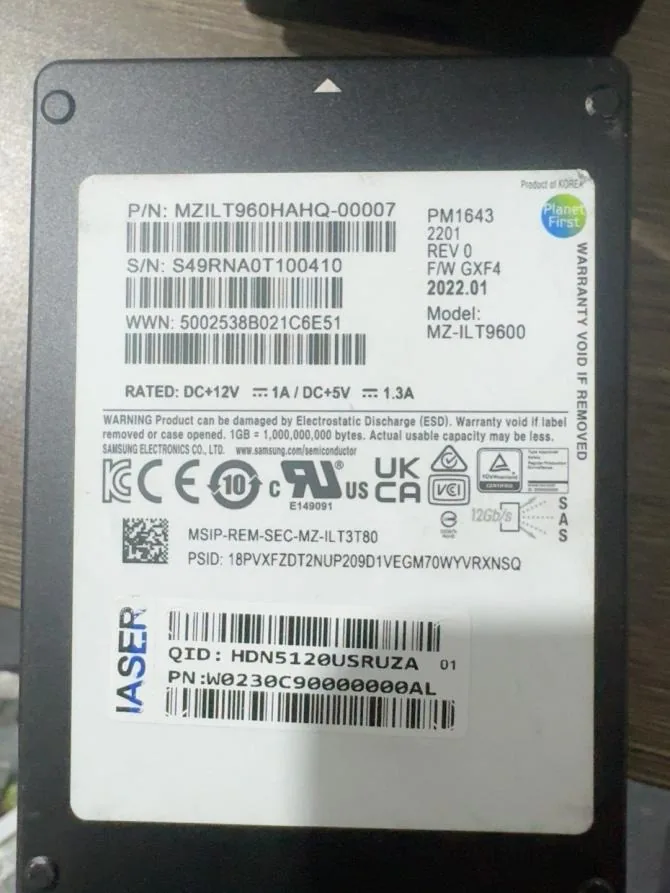
Samsung PM1643 960GB 2.5-inch SAS SSD label
First-party Samsung PM1643 label reference. Exact part number, capacity, condition, requested health and performance evidence, firmware context, and platform compatibility inputs remain order-specific.
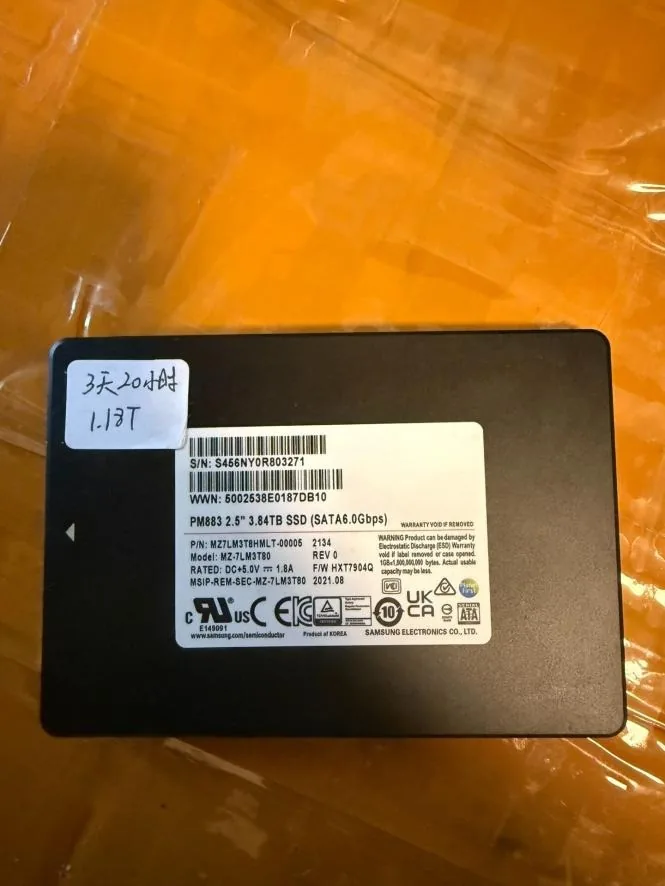
Samsung PM883 3.84TB 2.5-inch SATA SSD label
First-party Samsung PM883 label reference. Exact part number, capacity, condition, requested health and performance evidence, firmware context, and platform compatibility inputs remain order-specific.
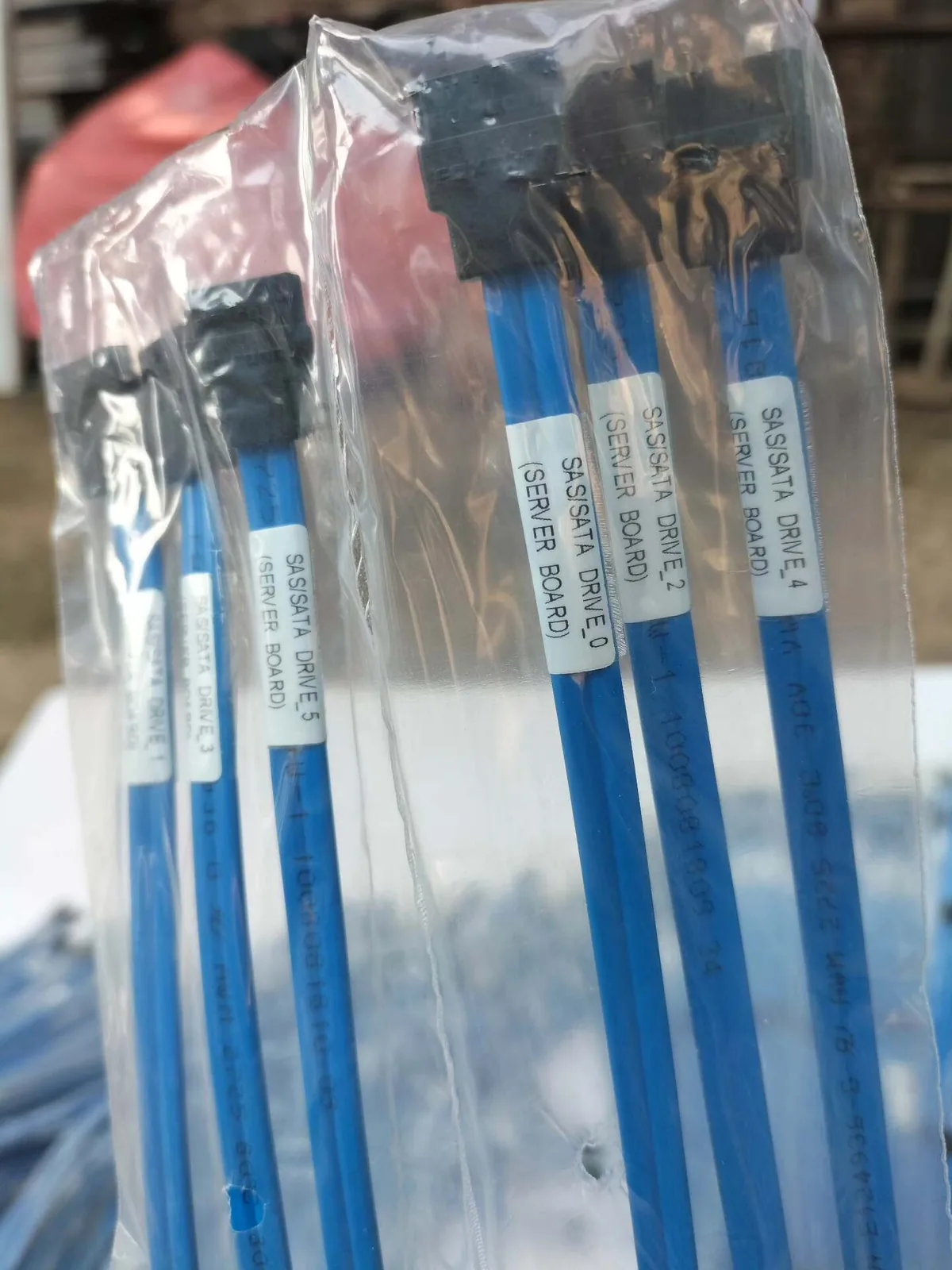
Blue SAS/SATA cables labeled for server-board drive connections
First-party labeled server SAS cable reference. Exact part number, connector, cable length, drive/backplane role, revision and chassis compatibility still require review for the specific RFQ.

Manufacturer references

Documented family facts

Manufacturer references support documented family facts. They do not confirm Beihang stock, unit condition, compatibility, warranty, or quotation terms.

  • Seagate

    Seagate SAS interface manual

    Supports: SAS interface and port terminology for a path-level review.

    View manufacturer source
  • Seagate

    Seagate SAS SSD installation instructions

    Supports: SAS SSD installation context that still requires platform-specific confirmation.

    View manufacturer source
  • Samsung

    Samsung PM1643 12G SAS SSD brief

    Supports: PM1643 SAS family interface context for exact-model identification.

    View manufacturer source

Send Your Model / Part Number List Today

Availability and quotation change frequently. Send us your required models, part numbers, and quantities for the latest confirmation.

Include model number, part number, quantity, target condition and destination. We confirm compatibility, packing and shipping before payment.

Contact on WhatsApp