
Enterprise Storage Procurement Guide
For B2B used enterprise SSD procurement, verify the exact model or part number, SAS, SATA or NVMe interface, capacity, workload or endurance requirement, SMART or health evidence, firmware constraint, quantity, target condition and destination. A family name or sample report is not enough for a quotation-ready request.
What should you check before buying a used enterprise SSD?
Check the exact drive identity, interface, workload requirement and evidence scope before comparing quotations.
- Exact model or OEM part number
- SAS, SATA or NVMe interface and capacity
- Workload, DWPD or TBW requirement
- SMART or health evidence for the proposed units
- Firmware and server-platform constraints
- Quantity, target condition and destination
Decision summary
For a used or refurbished enterprise SSD request, model or part number, interface, capacity, endurance or workload requirement, requested health evidence, firmware constraint, quantity, target condition and destination are the core quotation fields. Each field is confirmed against the proposed order rather than assumed from a family name or earlier example.
- Model or part number
- Interface and capacity
- Endurance or workload requirement
- Requested health evidence
- Firmware constraint
- Quantity, target condition and destination
Exact identity and interface
Provide the full model, manufacturer or OEM part number, any suffix, form factor and SAS, SATA or NVMe interface. Server, backplane, controller or HBA details can be supplied for order-specific compatibility review; a similar interface is not a compatibility confirmation.
- Full model and part number
- Suffix and form factor
- SAS, SATA or NVMe interface
- Server, backplane and controller or HBA
Capacity, workload and endurance
State the required usable capacity, read/write pattern, duty cycle and any DWPD or TBW requirement. Model endurance information and health evidence answer different questions, so the requested workload and the evidence required for the quoted units should both be recorded.
- Required capacity
- Read/write pattern and duty cycle
- DWPD or TBW requirement
- Evidence needed for quoted units
Unit health and firmware
Specify the requested SMART or health report fields, test scope and any firmware version or constraint. A sample health report cannot confirm all quoted units, live inventory, remaining endurance or platform compatibility; those details require confirmation for the proposed order.
- SMART or health report fields
- Test scope
- Firmware version or constraint
- Quoted-unit confirmation
Quantity, condition and destination
Keep quantity, condition target, tray or caddy requirement, destination and any packing request in the RFQ. These commercial and logistics details shape the order review and quotation; they are not established by representative product labels or sample reports.
- Quantity
- Target condition
- Tray or caddy requirement
- Destination and packing request
RFQ checklist
Send the exact model or part number, interface, capacity, workload or endurance requirement, health evidence request, firmware constraint, quantity, condition and destination in one list. Final availability, condition, test scope, packing and quotation are confirmed per order.
- Model or part number
- Interface, capacity and workload
- Health evidence and firmware
- Quantity, condition and destination
Enterprise SSD RFQ procurement checklist
Record the exact request, the evidence required for the proposed units, and the order-specific confirmation still needed.
| Decision field | Record in the RFQ | Confirm for the proposed order |
|---|---|---|
| Exact identity | Full model or part number, suffix, capacity, interface and form factor. | Quoted unit identity and platform review. |
| Workload and endurance | Read/write pattern, duty cycle and any DWPD or TBW requirement. | Model-specific rating context and requested unit health evidence. |
| Firmware and platform | Server, controller or HBA, backplane, operating system and firmware constraint. | Compatibility for the exact quoted configuration. |
| Commercial request | Quantity, target condition, caddy requirement, destination and packing request. | Availability, condition, test scope, packing and quotation. |
Final availability, condition, test scope, packing and quotation are confirmed per order.
Hardware and handling references
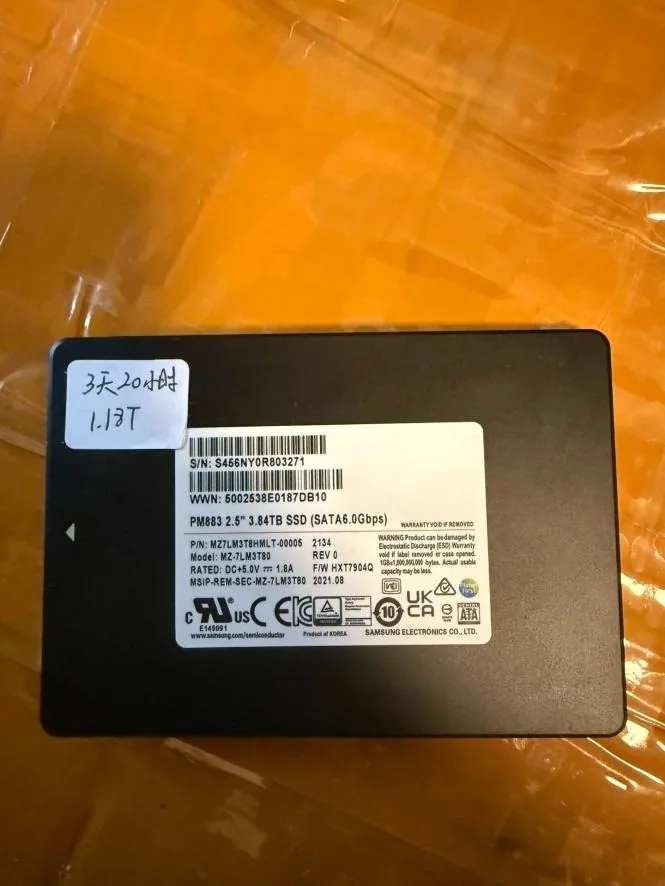
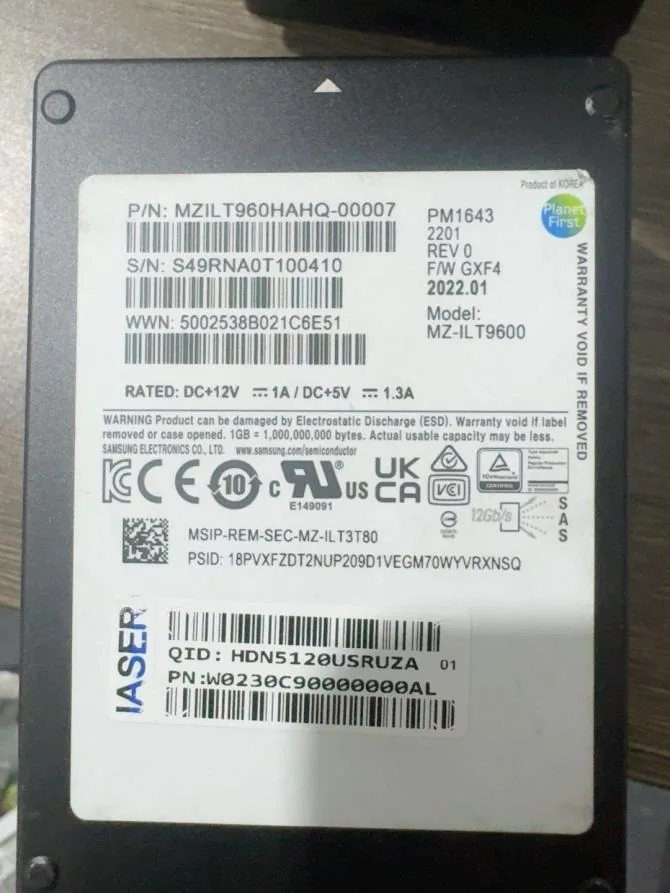
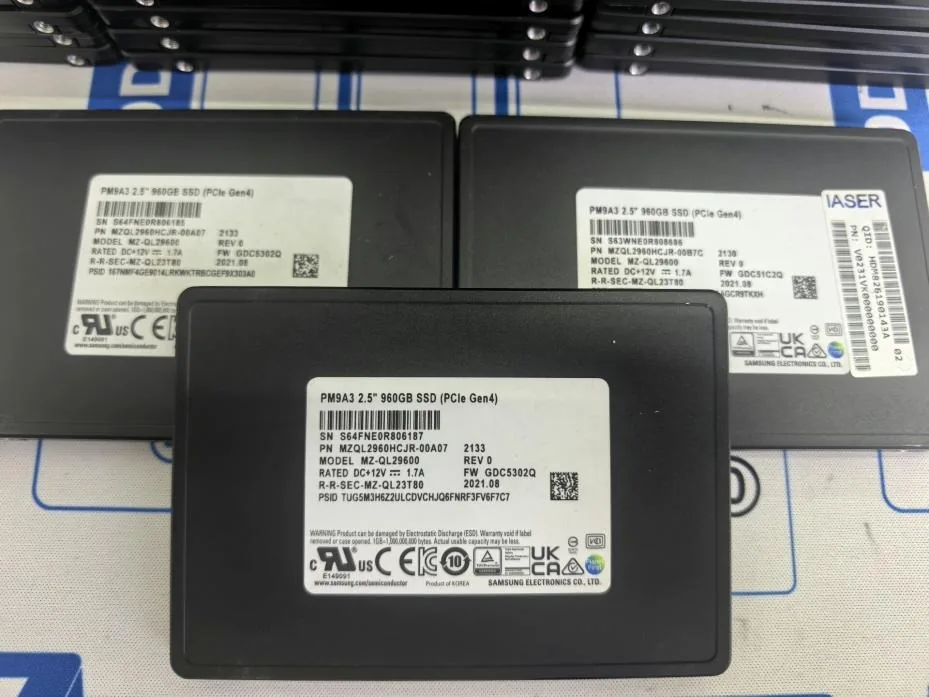
Selected first-party component images show representative labels and hardware forms; final model, interface, availability, condition, health evidence, firmware, compatibility and quotation remain order-specific.
Manufacturer references
- Samsung PM893 data sheet — Published PM893 family endurance and interface documentation for model-level RFQ review.
- Samsung PM9A3 NVMe PCIe SSD brief — Published PM9A3 family documentation for model-specific NVMe procurement inputs.
Frequently asked questions
What should I check before buying a used enterprise SSD?
Verify the complete model or OEM part number, interface, capacity, workload or endurance requirement, requested health evidence, firmware constraint, quantity, target condition and destination. Keep each proposed alternative on a separate RFQ line.
Is a SMART report enough to approve a used enterprise SSD?
No. A SMART or health report is one requested evidence item, and its fields and scope should be agreed for the quoted units or sample. It does not by itself confirm firmware, platform compatibility, every unit's condition or remaining endurance.
Does a SAS, SATA or NVMe label confirm server compatibility?
No. The interface label is only one input. Confirm the exact server or storage platform, controller or HBA, backplane, bay or carrier, form factor and any firmware requirement for the proposed order.
What details should an enterprise SSD RFQ include?
Send the exact model or part number, interface, capacity, workload or endurance target, health-evidence request, firmware constraint, quantity, target condition, destination and a reachable email or WhatsApp contact.