Server Hardware Buying Guide
Check socket, CPU generation, BIOS, TDP, memory and dual-socket requirements before requesting a server CPU quotation.
Identify exact platform
Record the server brand and exact server model before selecting a replacement CPU. The motherboard identifier and current CPU add the detail needed for compatibility review.
- Brand
- Server
- Board
- CPU
Match socket and generation
A shared socket does not by itself confirm compatibility across CPU generations. Check the generation, chipset and supported BIOS list for the exact platform.
- Socket
- Generation
- Chipset
- BIOS
Check power and thermal limits
Compare processor TDP with the server's supported thermal range. Heatsink specification, power supply capacity and airflow must also suit the intended configuration.
- TDP
- Heatsink
- PSU
- Airflow
Confirm multi-socket rules
Confirm socket count, the installed pair, stepping requirements and processor population rules. Final availability, condition, test scope, packing and quotation are confirmed per order.
- Socket count
- Installed pair
- Stepping
- Population
Hardware and handling references
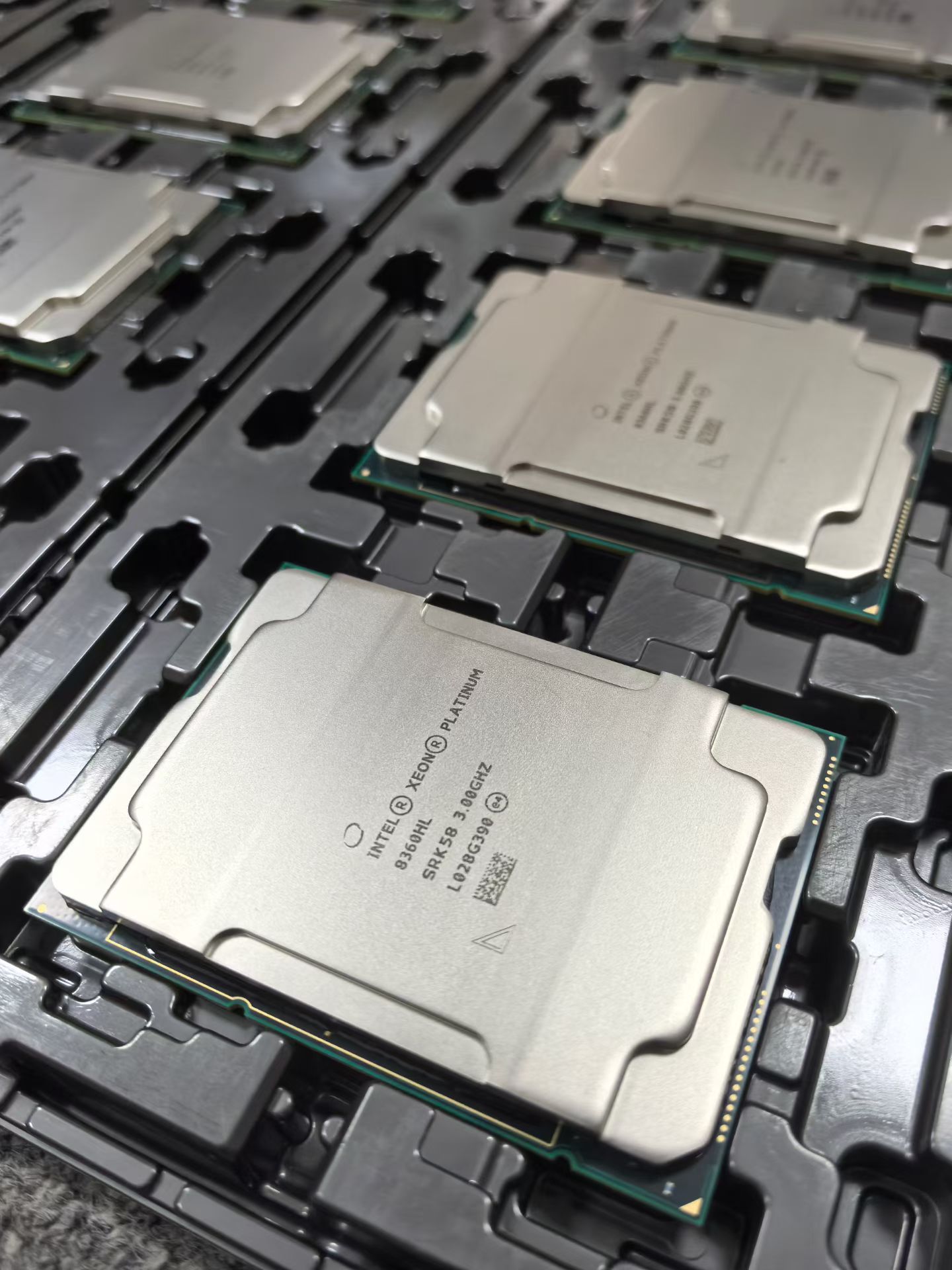
Selected first-party images show representative CPU, inspection and packing references; final model, condition, test scope and shipment evidence remain order-specific.