Server Storage Controller Decision Guide

Internal reference / RFQ workflow

Internal vs External SAS HBA: Choose the Storage Topology

Internal and external HBAs solve different physical connection requirements. Define whether the card connects to bays inside the host, an external enclosure or both on a specifically documented model, then match ports, connectors, cables, bracket and platform support.

Authorship

Prepared and reviewed by Beihang Technology Co., Ltd.

Published | Last material update

Evidence scope

Selected first-party images document representative controller hardware, cache-protection components and an internal server storage path. They are visual references, not proof of a specific model or universal compatibility. Final identity, availability, condition, firmware, cable, backplane, platform support, packing and quotation remain order-specific.

01

Decision summary

Select an internal HBA for a documented path to in-chassis bays and an external HBA for a documented path to an external enclosure. A mixed-port card is valid only when the exact model and topology support it; do not infer internal or external capability from family name or bracket shape.

  • In-chassis or external destination
  • Exact HBA port layout
  • Connector and cable at both ends
  • Server and enclosure support

02

Map an internal storage path

For internal bays, trace the controller port to the exact in-server cable, backplane or expander and target bays. Include server generation, riser and cable labels so the quotation does not reduce the requirement to a generic internal connector.

  • Server and riser
  • Internal HBA port
  • Cable and backplane
  • Target bay and drive interface

03

Map an external enclosure path

For an external shelf, record the HBA's external connector, enclosure or shelf model, input module, cable part number and required path design. The external connector alone does not confirm enclosure support, multipath design or software qualification.

  • External HBA connector
  • Shelf or enclosure model
  • Input module and cable
  • Path and host requirements

04

Treat mixed-port cards as exact-model designs

Broadcom documents both internal and external connectors on the specific LSI SAS 9300-4i4e. Use that as an example of why the complete model matters: it does not imply that another card in the same product generation has the same ports or supported topology.

  • Complete controller model
  • Documented internal ports
  • Documented external ports
  • No family-level assumption

05

Confirm bracket, firmware and operating context

Match the physical bracket and PCIe slot, then provide server firmware, controller firmware, operating system and boot requirements. Dell installation guidance separates internal and external HBA variants, reinforcing that installation and cabling must follow the exact product and platform procedure.

  • Bracket and PCIe slot
  • Controller firmware
  • Operating system
  • Boot requirement

06

RFQ checklist

Send the exact HBA and server part numbers, quantity, internal or external topology, riser and bracket, ports and connector family, cable part numbers, backplane or enclosure, target drives, firmware or OS requirement, target condition, destination and requested evidence. Final availability, condition, test scope, packing and quotation are confirmed per order.

  • HBA, server and quantity
  • Topology, ports and bracket
  • Cable, backplane or enclosure
  • Condition, evidence and destination

First-party evidence

Practical proof behind the guide

These first-party images document representative product, inspection, packing, shipping, tracking or policy evidence, as applicable to this guide. Final order evidence is confirmed separately.

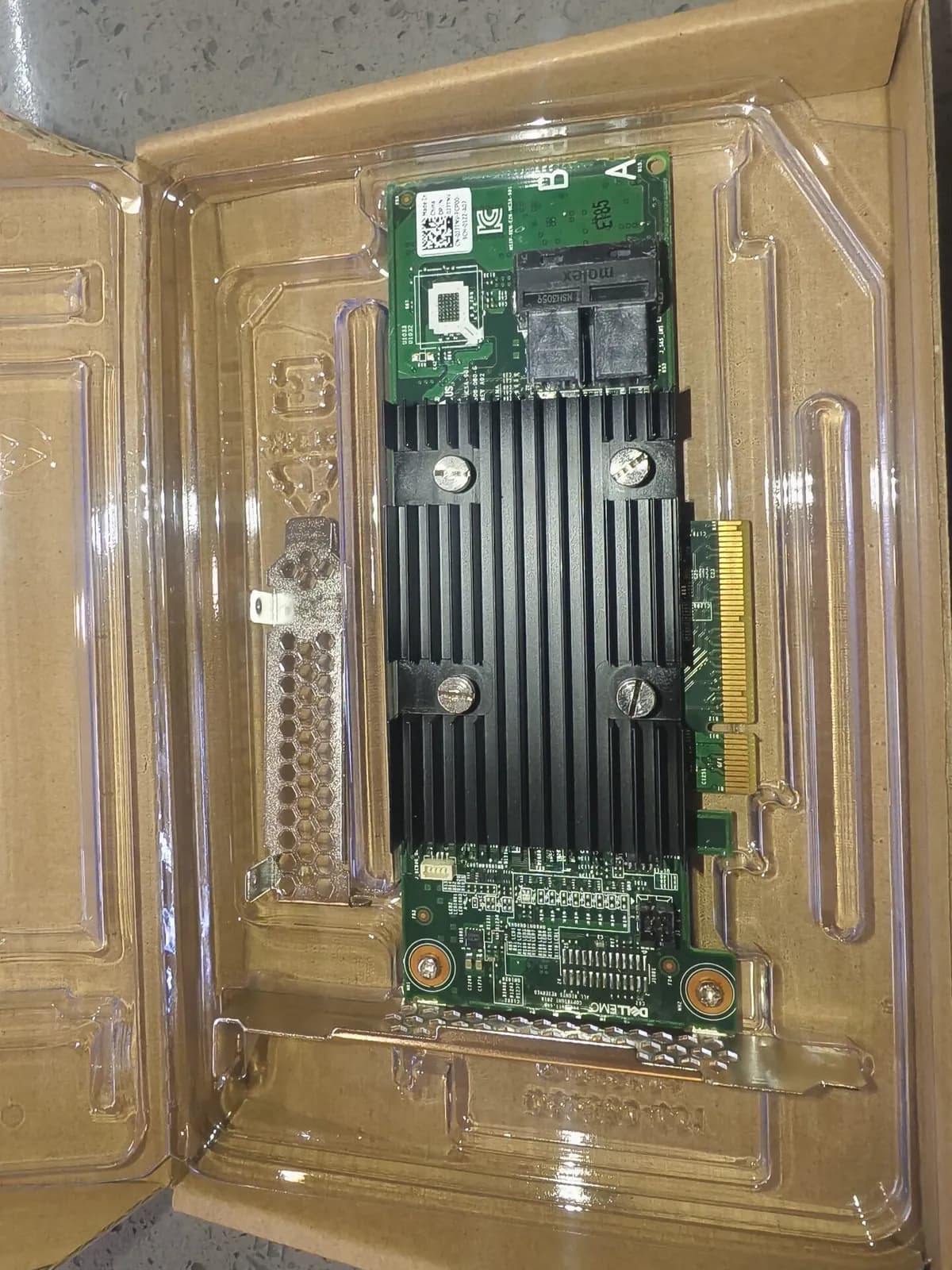
Dell EMC PCIe card with heat sinks and a metal bracket in a protective tray
First-party server storage-controller card reference. Exact RAID or HBA role, firmware, connector, bracket, cable and platform requirements are confirmed per RFQ.
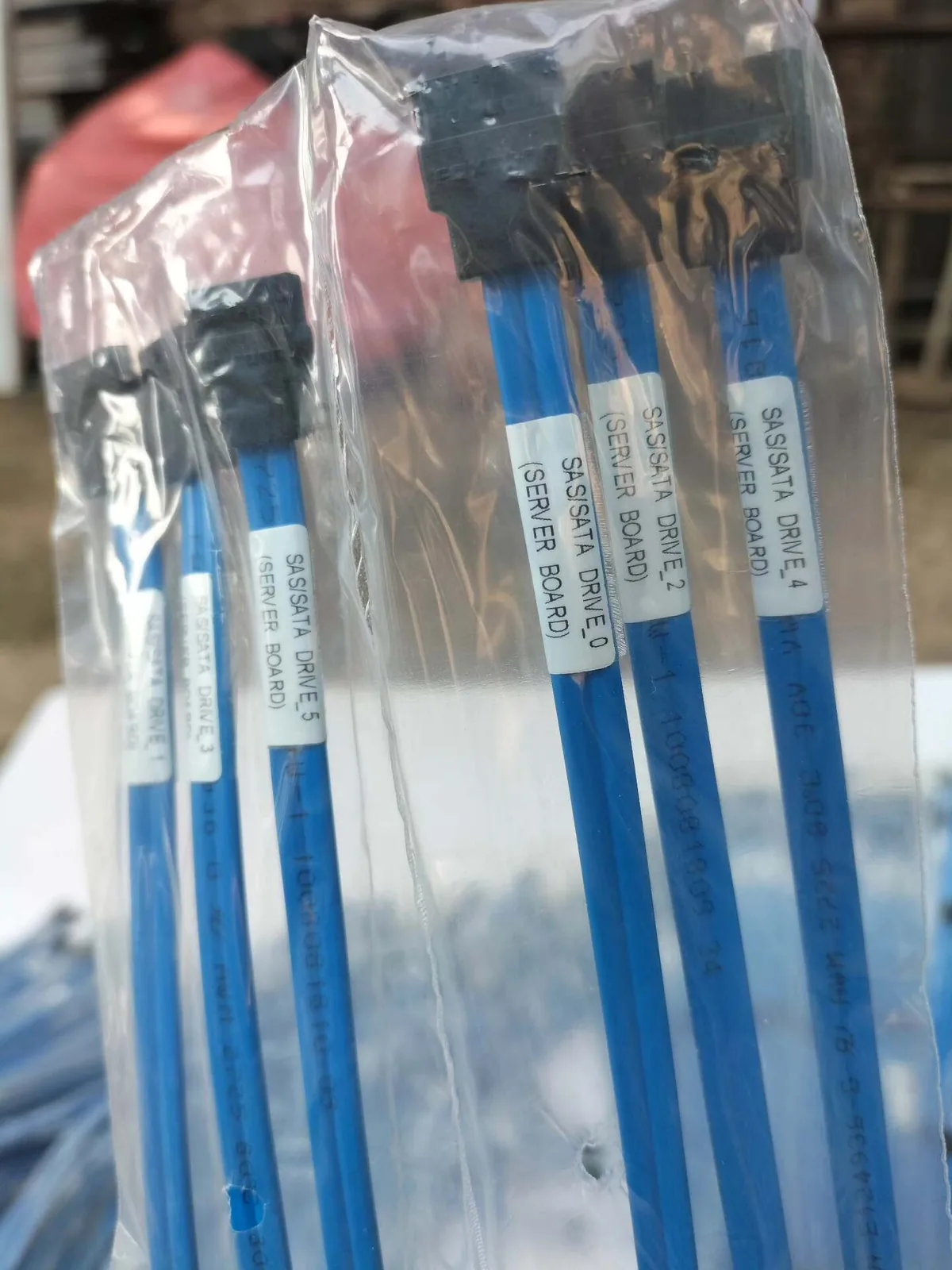
Blue SAS/SATA cables labeled for server-board drive connections
First-party labeled server SAS cable reference. Exact part number, connector, cable length, drive/backplane role, revision and chassis compatibility still require review for the specific RFQ.
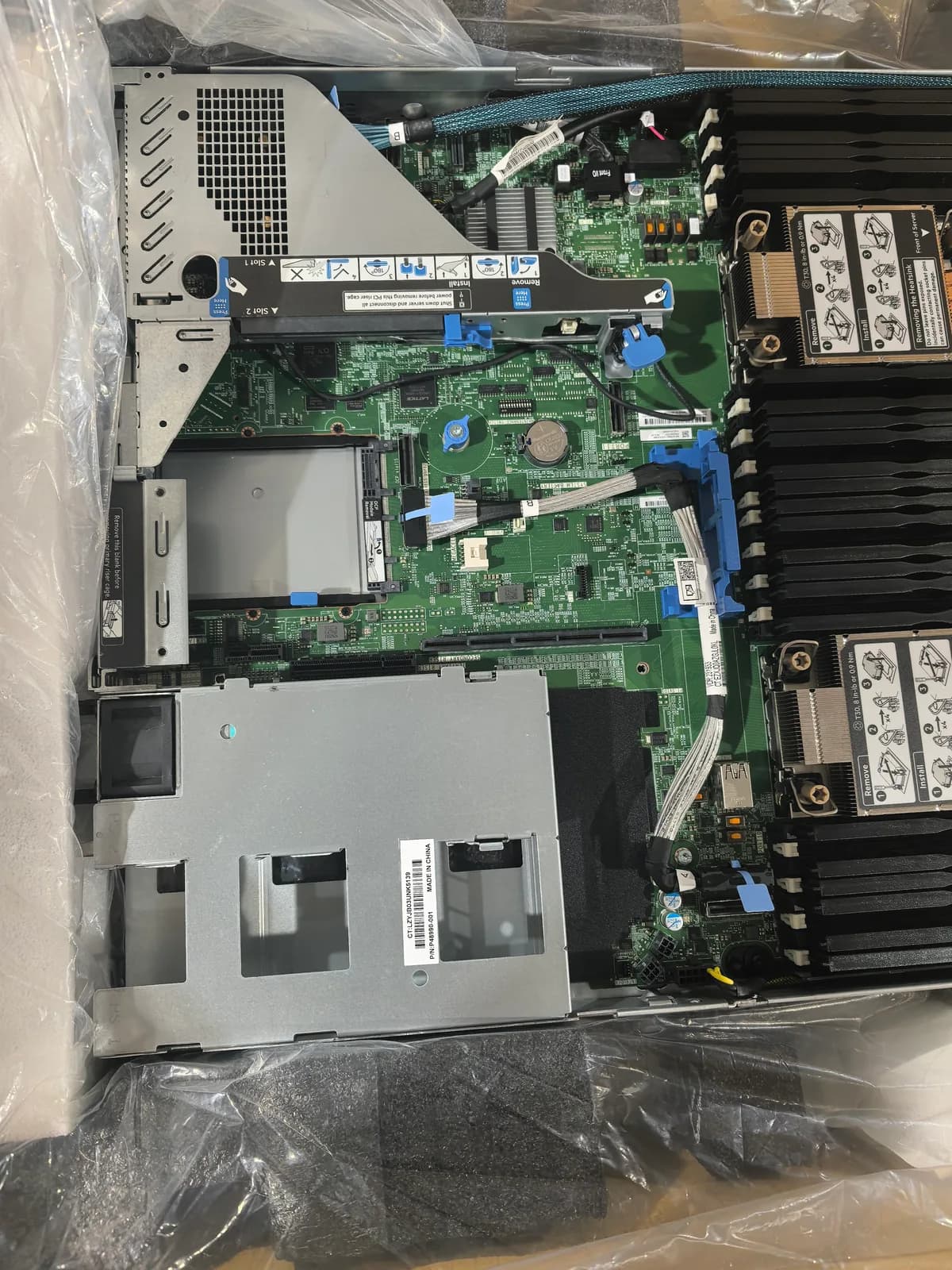
HPE rack server interior showing motherboard slots, cables, risers and drive-bay area
First-party rack-server interior reference for tracing the controller, riser, cable and drive-bay path. Exact server model, controller, connector, cable, backplane and bay support remain RFQ-specific.

Manufacturer references

Documented family facts

Manufacturer references support documented family facts. They do not confirm Beihang stock, unit condition, compatibility, warranty, or quotation terms.

  • Dell

    Dell HBA355 and HBA350 installation guidance

    Supports: Model-specific installation context for internal and external Dell HBA variants.

    View manufacturer source
  • Broadcom

    Broadcom LSI SAS 9300-4i4e product brief

    Supports: A specific HBA example with documented internal and external SAS connectors.

    View manufacturer source
  • HPE

    HPE Smart Array controller installation guidance

    Supports: Platform-specific installation context for controller and internal cabling review.

    View manufacturer source

Send Your Model / Part Number List Today

Availability and quotation change frequently. Send us your required models, part numbers, and quantities for the latest confirmation.

Include model number, part number, quantity, target condition and destination. We confirm compatibility, packing and shipping before payment.

Contact on WhatsApp